For Mac · Smart home

Your smart home, one click from the menu bar.

A native Mac app for your SwitchBot devices: a full window for every light, plug, curtain, lock and sensor, and a menu-bar popover for the ones you use every day.

Coming soonfor Mac See it ↓
macOS 11 or later · Works with your own SwitchBot account

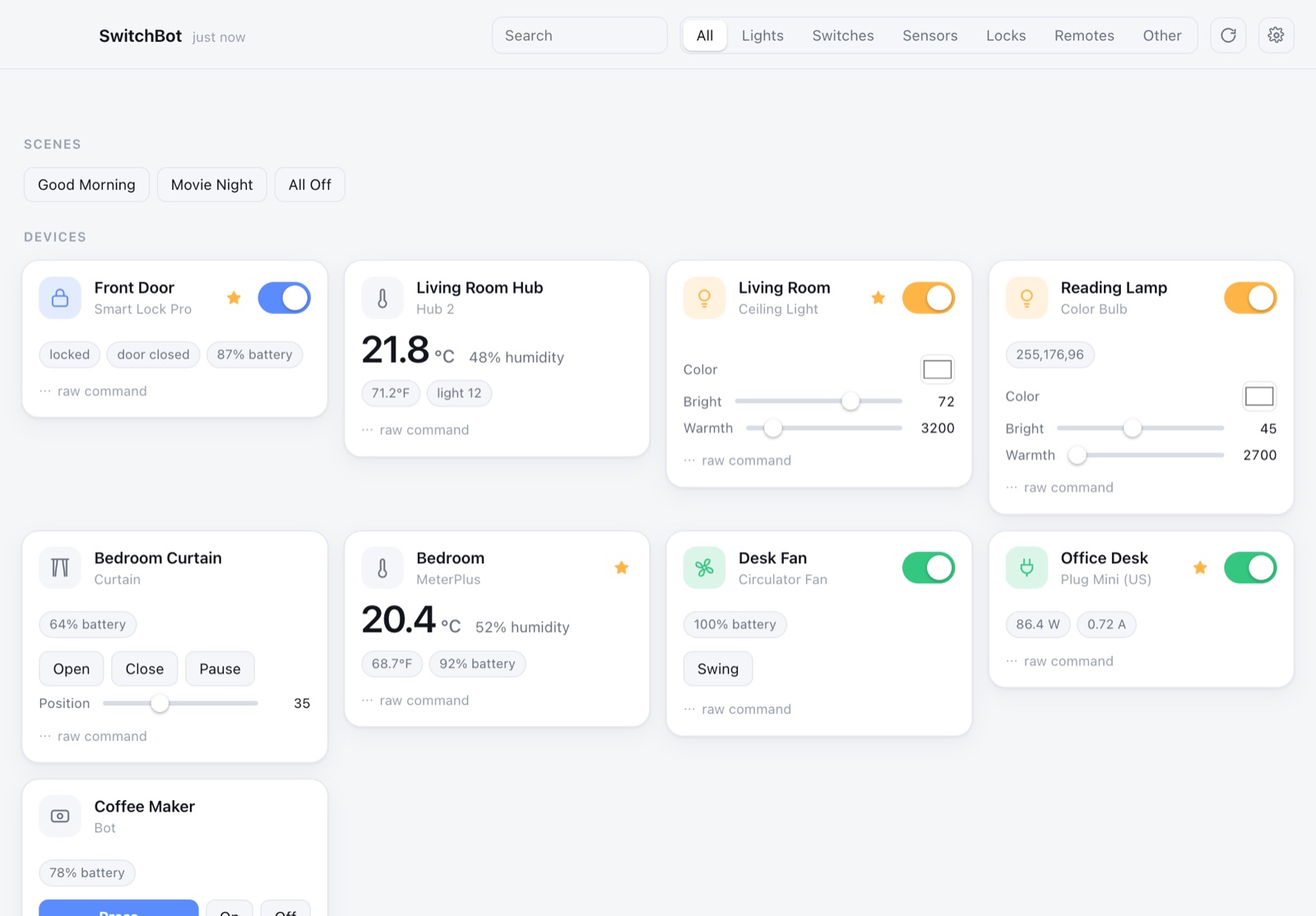
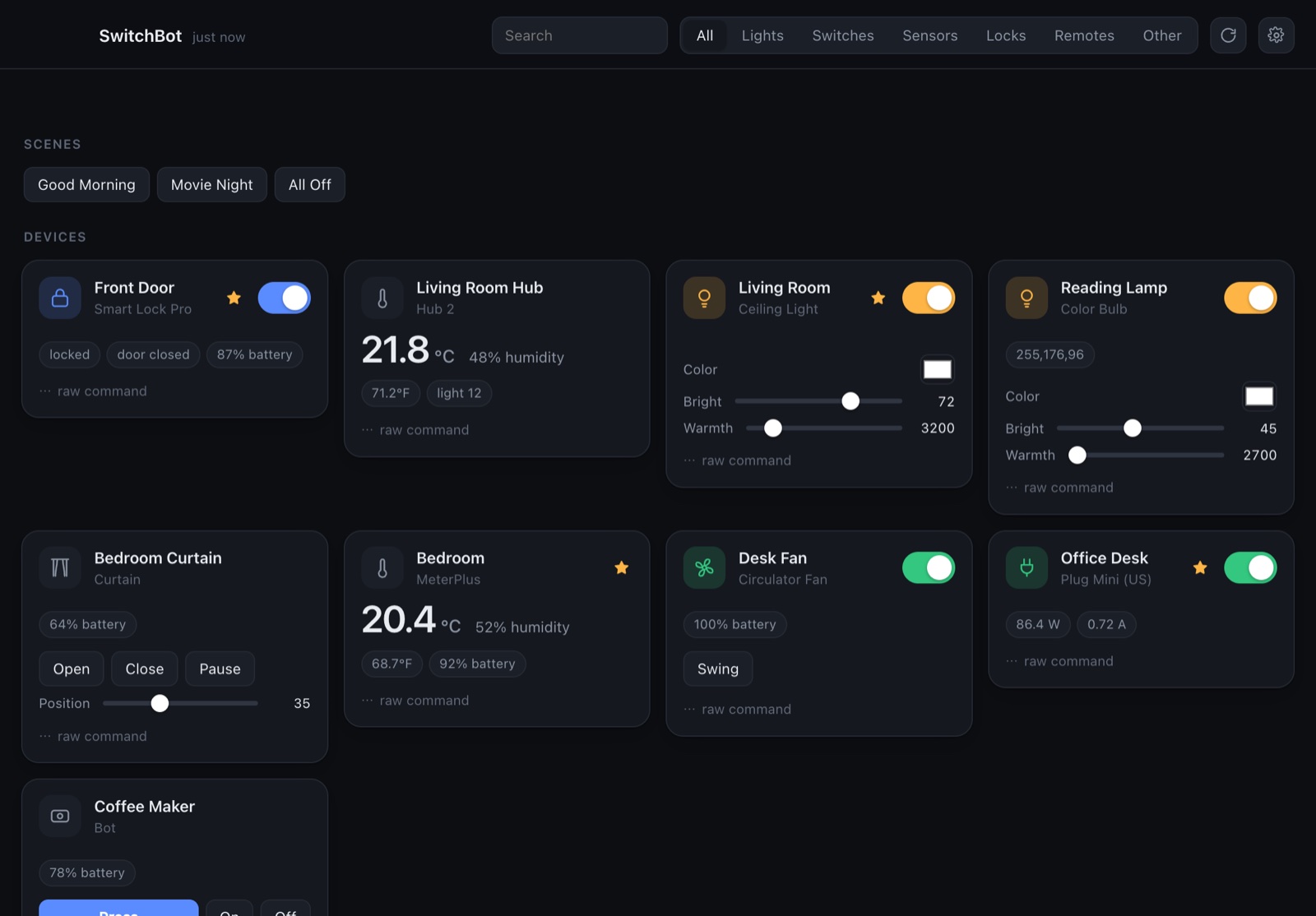
The main window: scenes, a smart lock, hub readings, lights with brightness and warmth, a curtain, a fan and a smart plug
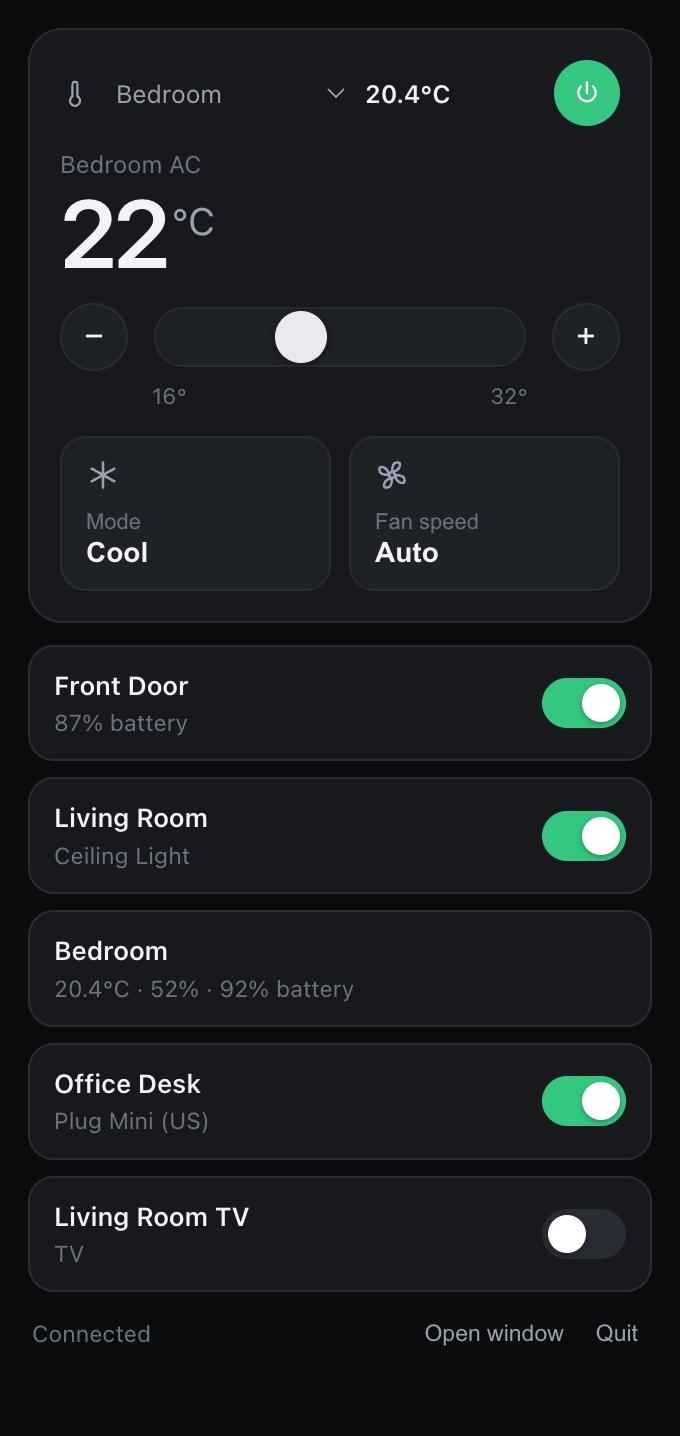
The menu-bar popover: air-con control and pinned devices with switches
1 clickfrom the menu bar
0servers in between
⌘Rrefresh, or every 5 minutes
Light & darkfollows your Mac
The window

Every device, live.

All your SwitchBot devices as cards, with their real readings and the controls that make sense for each one.

  • Scenes as one-click buttons: Good Morning, Movie Night, All Off
  • Lights with brightness and warmth, curtains with position, plugs with live watts
  • Temperature, humidity and battery from hubs and meters
  • Filter by lights, switches, sensors, locks or remotes, or just search
The main window in dark mode
The menu bar

The ones you use, one click away.

Star a device and it shows up in the menu-bar popover with a switch. No window to find, no phone to unlock.

  • Full air-con control: temperature, mode and fan speed
  • Pick which room sensor sits next to the AC, so you see the real room temperature
  • Open the full window or quit from the popover
  • Can start at login, so it's always there
The menu-bar popover
Light & dark

Looks at home on your Mac.

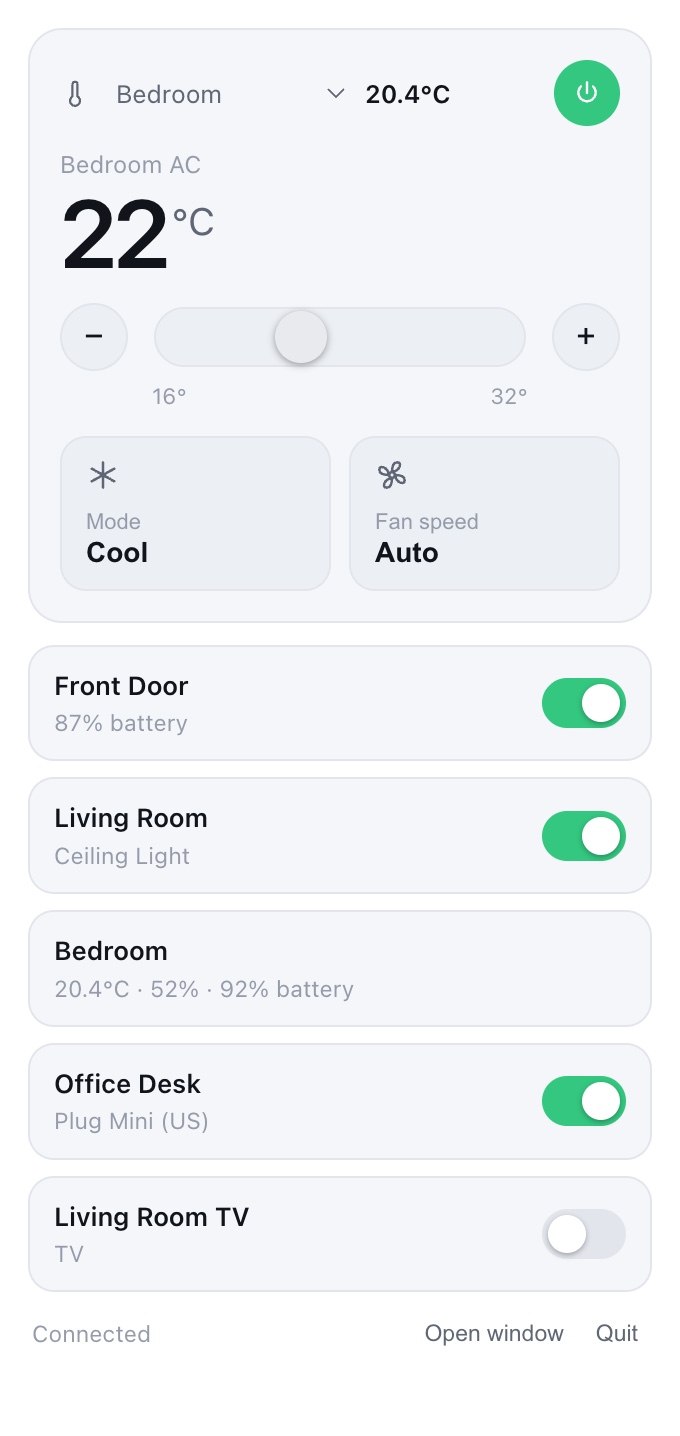
It follows your Mac's appearance setting by itself, in the window and in the menu bar.

The main window in light mode
The popover in light mode

Set up in a minute

It uses SwitchBot's official cloud API with your own key, so it sees the same devices as your phone.

Get your key

In the SwitchBot app: Profile → Preferences → tap App Version ten times → Developer Options → Get Token.

Paste and connect

Paste the token and secret key into SwitchBot for Mac and choose Save & connect. Your devices and scenes appear.

Star your favourites

Star the devices you reach for most, and they're in the menu bar from then on.

Straight to SwitchBot. Nothing in between.

The app talks to SwitchBot's cloud API directly. Each request is signed on your Mac, and your token and secret are kept in the macOS Keychain, not in a file.

There's no account to make and no server of ours involved. Auto-refresh is optional, since it uses your API quota.

Platform
Mac
Requires
macOS 11 or later
Works with
Devices in your SwitchBot account
Includes
Window + menu-bar popover
Credentials
Stored in the Keychain
Appearance
Light and dark

SwitchBot for Mac

Lights off without reaching for your phone.

Coming soonfor Mac

Unofficial. SwitchBot for Mac isn't made by or affiliated with SwitchBot. You need your own SwitchBot account and API key. Screenshots show demo devices.