For Mac · Contour ShuttleXpress

Your ShuttleXpress, without the driver.

A tiny menu-bar app that replaces Contour's own software. It reads the ShuttleXpress straight over USB and sends keystrokes to whatever app is in front, with a profile for each one.

Coming soonfor Mac See it ↓

Apple silicon Mac · macOS 14 or later · No driver to install

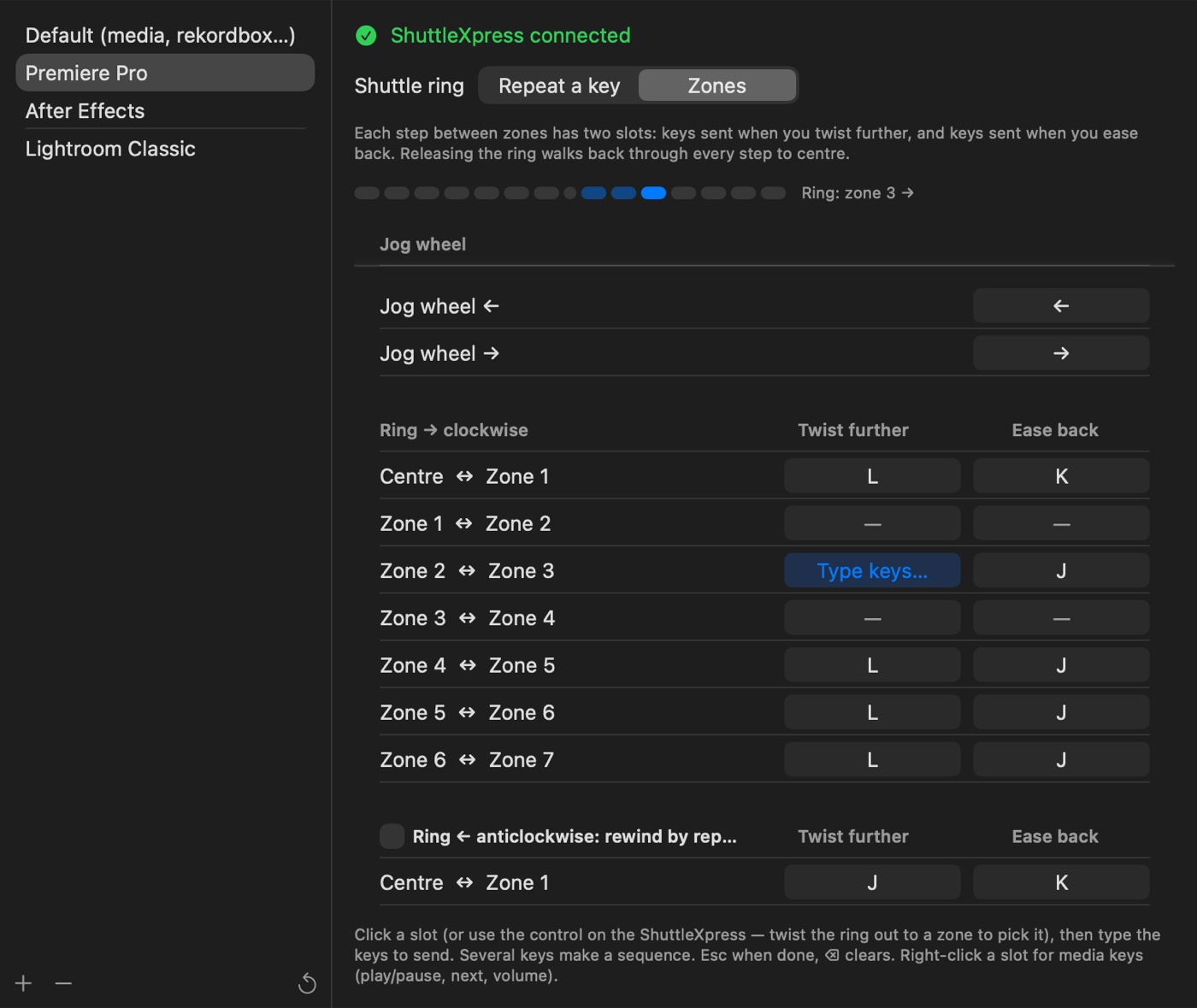
ShuttlerMicro Settings: the Premiere Pro profile in zones mode, with the ring twisted to zone 3 and a slot waiting for keys
0drivers to install
4built-in profiles
7shuttle zones each way
1tiny icon in the menu bar
Per-app profiles

The right keys for whatever's in front.

Each app gets its own profile, picked automatically the moment you switch to it. The menu-bar menu shows which one is active.

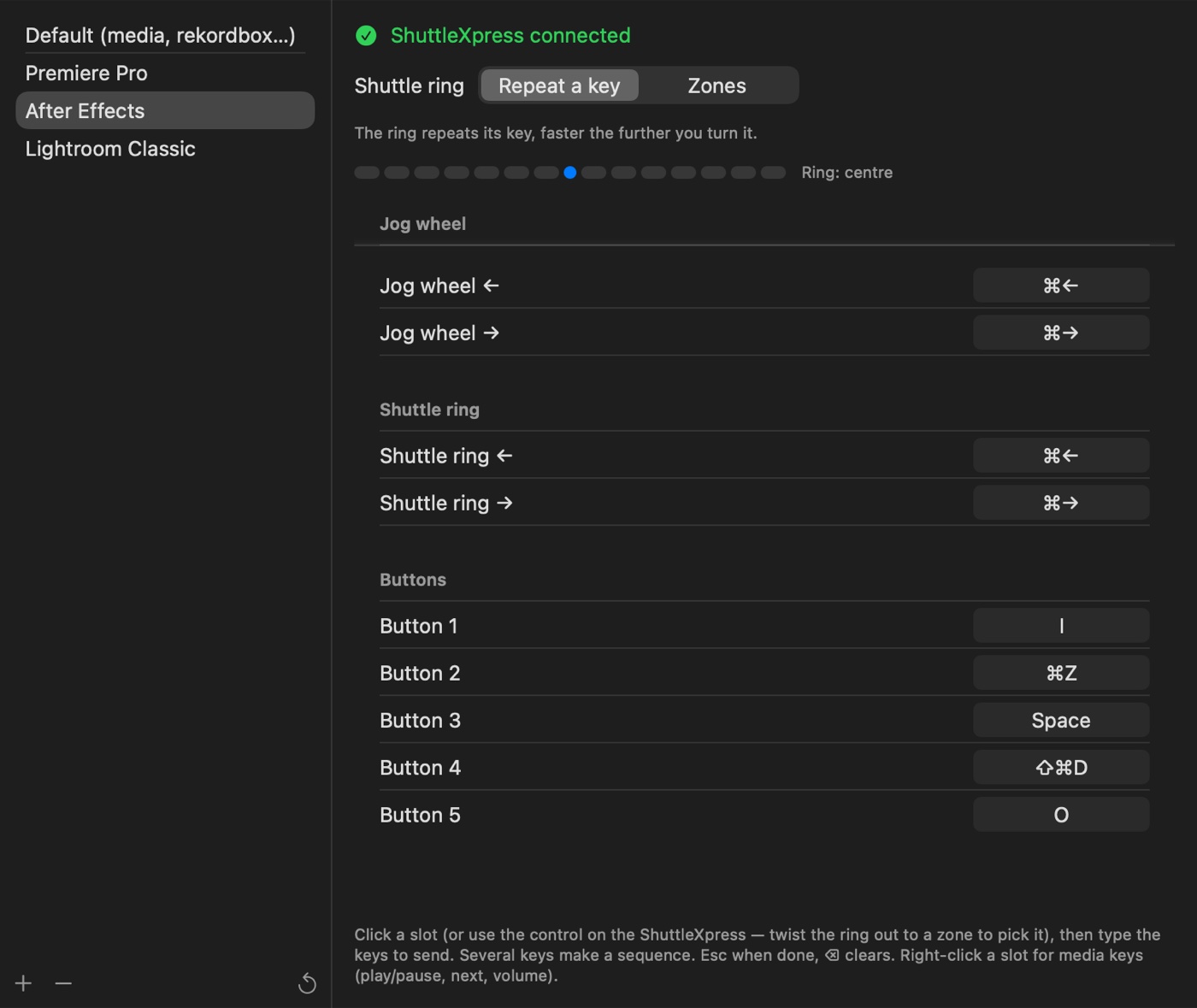
  • Ready-made profiles for Premiere Pro, After Effects and Lightroom Classic
  • A default for everything else, from media players to rekordbox
  • Add any app; any version of Premiere, After Effects or Lightroom starts from its preset
  • Reset any profile to its preset from the ↺ button
The After Effects profile: jog wheel, shuttle ring and five buttons, each mapped to keys
Shuttle ring

Zones that work like Contour's.

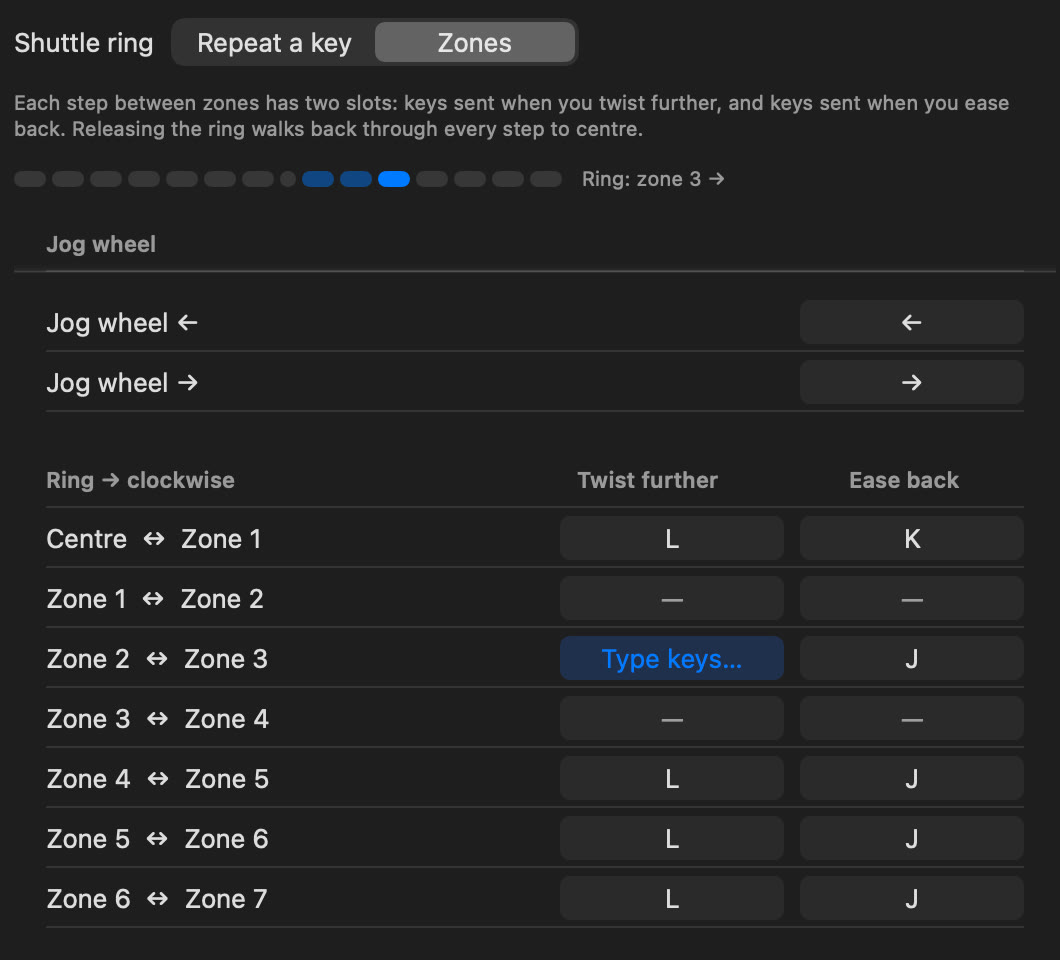
Every step between neighbouring zones has a "twist further" and an "ease back" slot. Let go and the ring walks back through each step to centre.

  • With J/K/L in Premiere, twisting out speeds playback up a level per zone, easing back slows it down, centre stops
  • Or set the ring to simply repeat a key, faster the further you turn it
  • For footage too heavy to play backwards, like 240 fps H.264 or HEVC, anticlockwise can rewind by stepping frames instead
  • A live meter shows exactly which zone the ring is in
Close-up of the zones table: twist-further and ease-back keys for each step, with the live zone meter at zone 3
Learn mode

Press it, then type it.

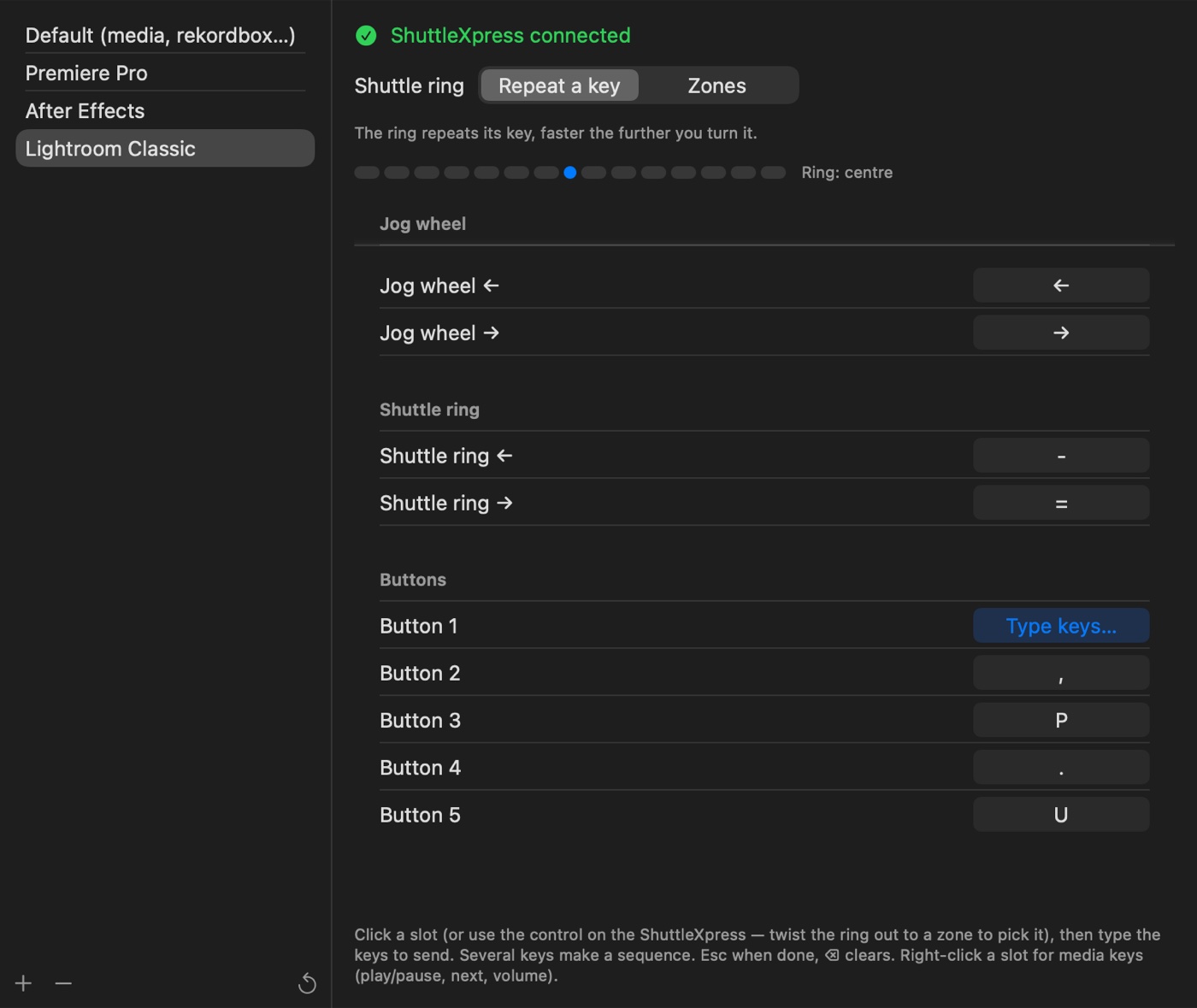
Open Settings, press a control on the ShuttleXpress (or click its row), then press the keys it should send. That's the whole setup.

  • Any slot can send a sequence of keys, in order
  • Right-click a slot for media keys: play/pause, next, previous, volume and mute, handy for Spotify or rekordbox
  • Twist the ring out to a zone to pick that zone's slot
The Lightroom Classic profile with Button 1 waiting for keys

Set up in a minute

Nothing to install besides the app itself.

Plug it in

Connect your ShuttleXpress. ShuttlerMicro reads it directly over USB, so there's no driver and no background service from Contour.

Allow keystrokes

Give it Accessibility access in System Settings the first time, so it can send keys to your other apps.

Make it yours

Start from a preset, or pick an app, press a control and type the keys. Turn on Open at Login and forget about it.

Platform
Mac with Apple silicon
Requires
macOS 14 or later
Works with
Contour ShuttleXpress (USB)
Driver
None needed
Permission
Accessibility, to send keys
Network
None, everything stays on your Mac

Questions

Do I need Contour's software or driver?

No. ShuttlerMicro talks to the ShuttleXpress directly over USB, so you can uninstall Contour's software entirely.

Why does it need Accessibility access?

macOS only lets apps send keystrokes to other apps with Accessibility permission. ShuttlerMicro uses it for exactly that and nothing else.

Which apps does it work with?

Any app that responds to keyboard shortcuts. Premiere Pro, After Effects and Lightroom Classic have ready-made profiles; add any other app and set its keys in learn mode.

Does it work with other Contour devices?

It's built for the ShuttleXpress. Other models aren't supported yet.

My keyboard isn't a US layout. Will the presets work?

The built-in presets use US key positions. On other layouts, re-record any key that comes out wrong in Settings; it only takes a press.
ShuttlerMicro

The jog wheel you already own, finally doing what you want.

Coming soonfor Mac

Unofficial. ShuttlerMicro isn't made by or affiliated with Contour Design. ShuttleXpress and Contour are trademarks of their owner.