For iPhone · メカスピード

A 1980s cockpit for your dashboard.

GPS speed, G-force, heading, altitude and time, lit like a 300ZX cluster wired into a Gundam cockpit. Every segment glows like a real vacuum-fluorescent tube.

Coming soonto the App Store See the dash ↓
iPhone · iOS 18 or later · No account

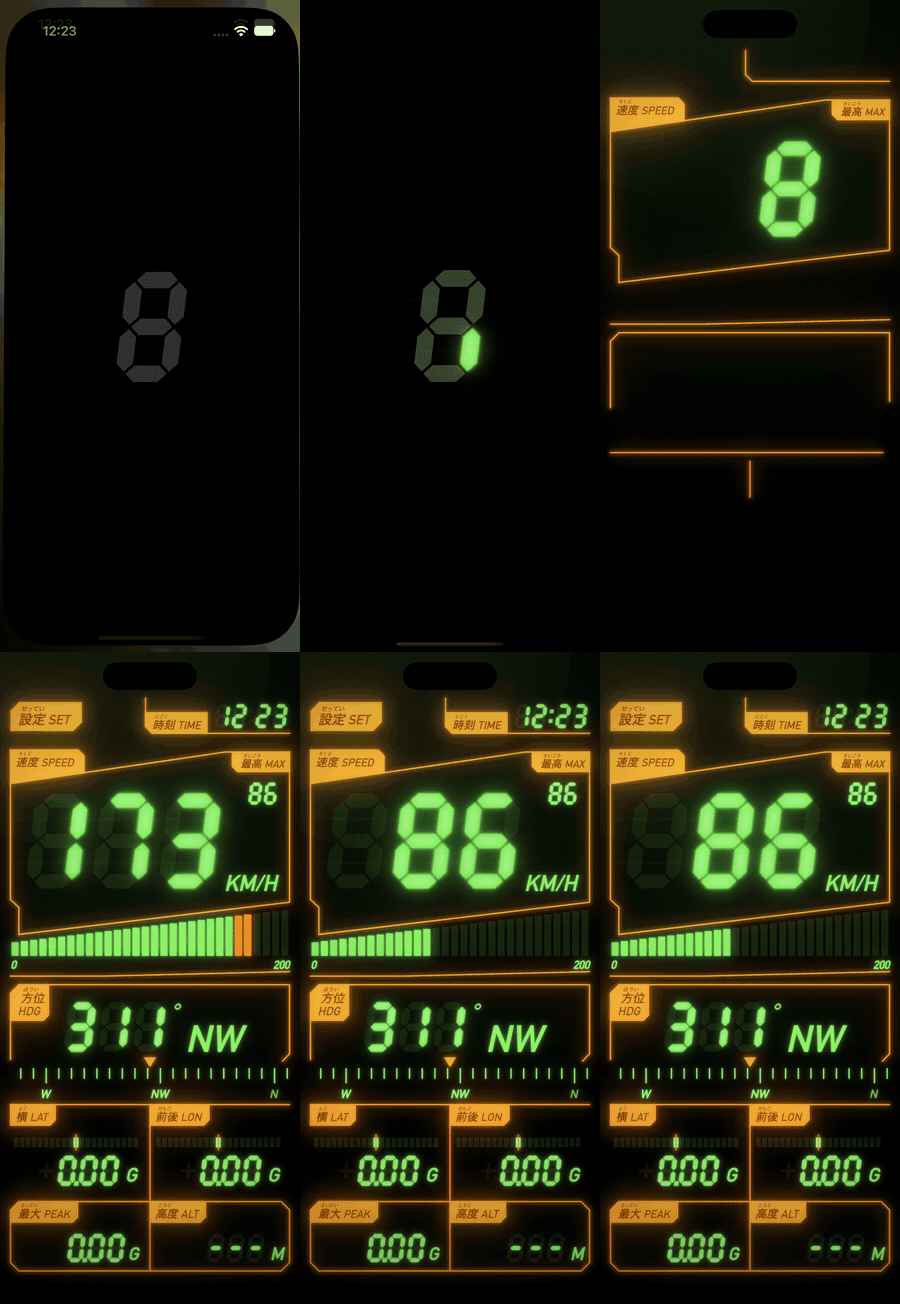
The boot sequence: a segment spinner docks into the speed readout and every segment lights for a self-test
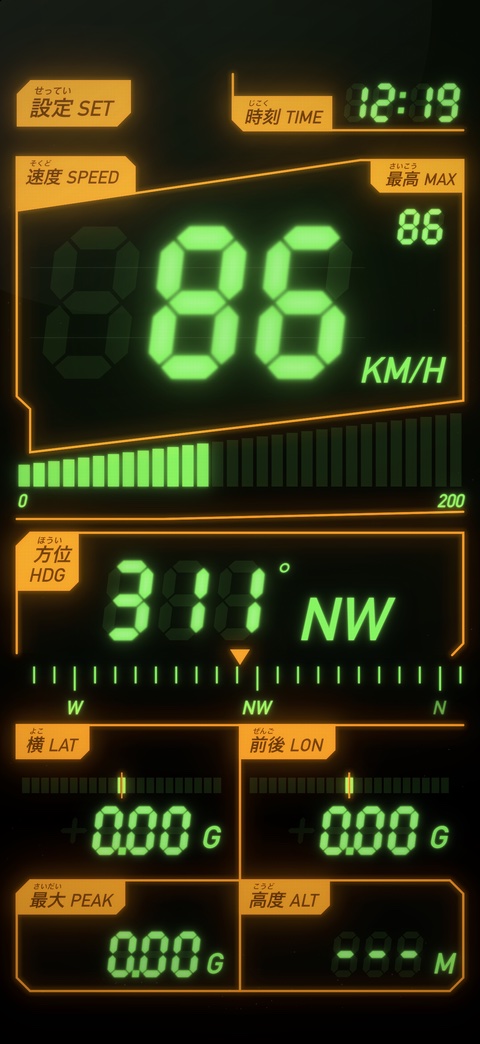
The dash at 86 km/h: speed, max, bar graph, heading 311° NW, G-force, altitude and clock
7instruments on one screen
15colour presets, plus custom
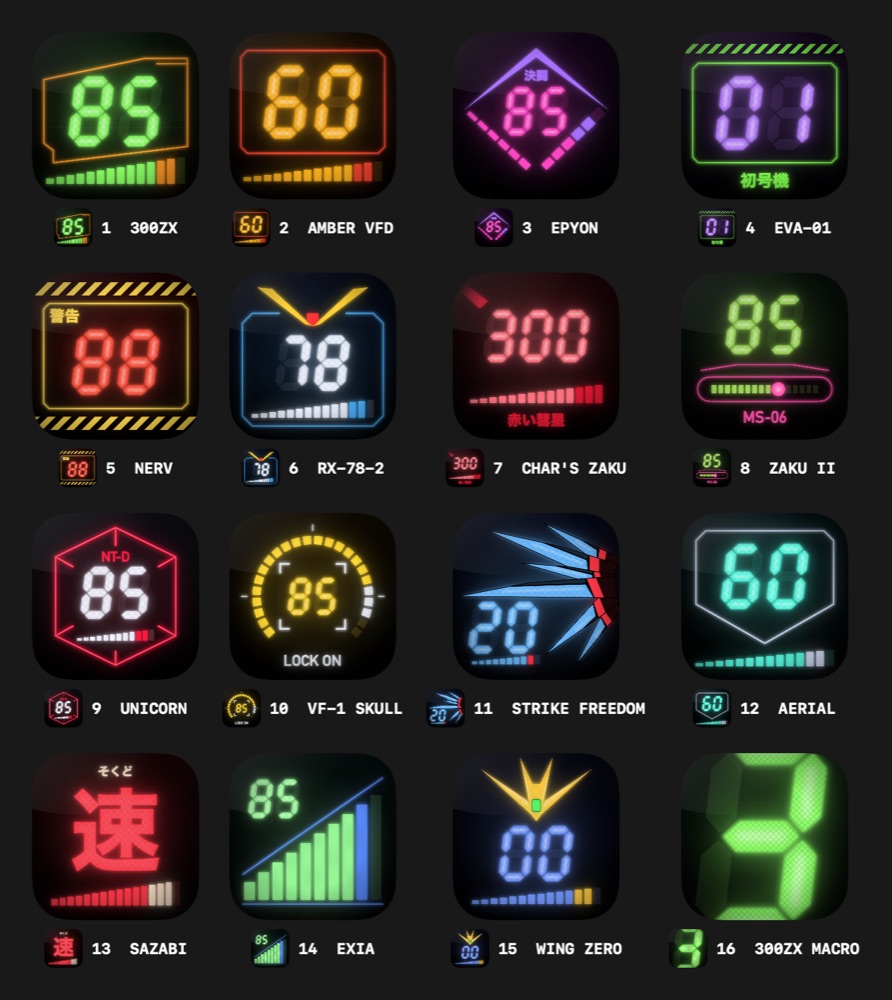
16app icons to choose from
30segments in the speed bar

Seven instruments, one glance

Every label is kanji with furigana plus its English name, like the real thing.

Speed

Big seven-segment GPS speed in km/h or mph, over a 30-segment bar whose last fifth is the redline.

Max

Top speed this drive. Double-tap to reset.

Heading

Degrees and a cardinal name on a sliding compass tape, from GPS while moving and the compass when you stop.

Lateral & long. G

G-force in the car's frame on centre-zero bars, with the phone upright or flat.

Peak G

The hardest combined G since launch. Double-tap to reset.

Altitude

Metres or feet.

Time

A 24-hour clock with a blinking colon.

Warning lamps

GPS LINK while acquiring, NO GPS in tunnels and car parks, GPS OFF without permission, and a flashing compass warning near magnets.

The look

Drawn like a real VFD tube.

Not a flat font in a nice colour. Every element is rendered the way a vacuum-fluorescent display actually glows.

  • Ghosted unlit segments and hot filament cores
  • Faint horizontal grid wires and a wire mesh over every lit element
  • Backlight bleed, with panels and legends bloomed as one light source
  • A boot sequence: a spinning segment docks into the speed readout, the panes plot outwards and every segment lights for a self-test
Close-up of the dash

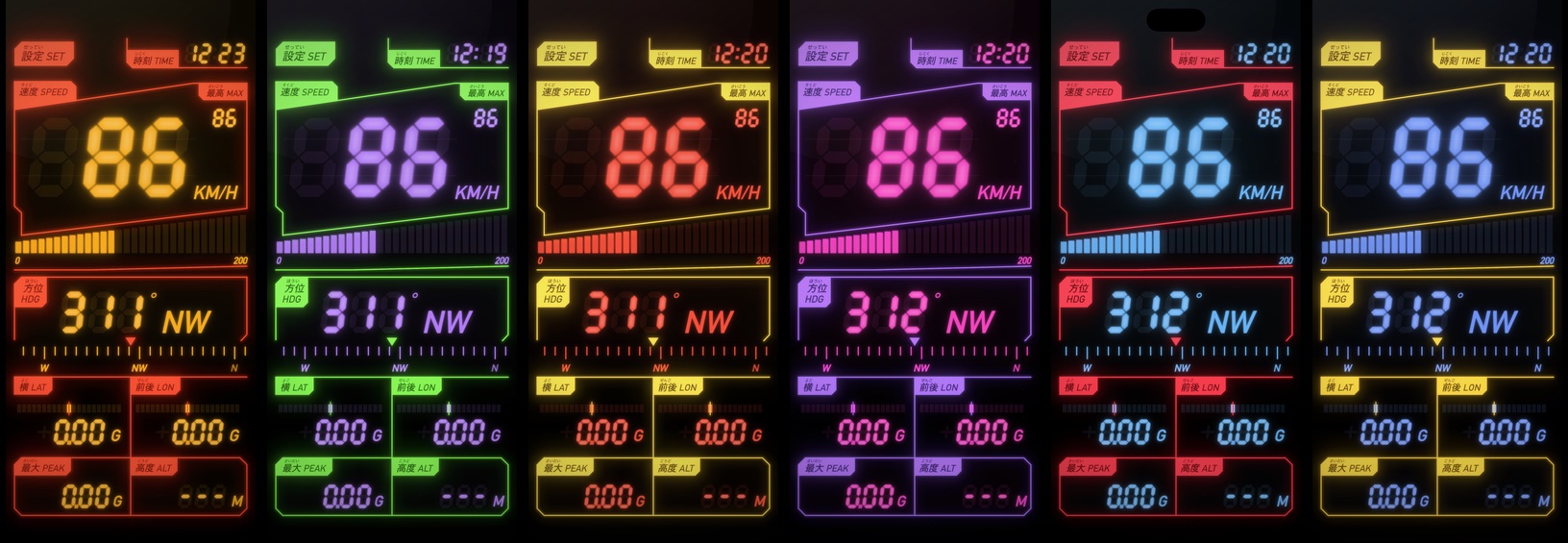
15 colour presets

Swipe the speed display sideways to cycle through them, or make your own two-tone colours.

Six presets side by side: Amber VFD, EVA-01, NERV, Epyon, Strike Freedom, Wing Zero
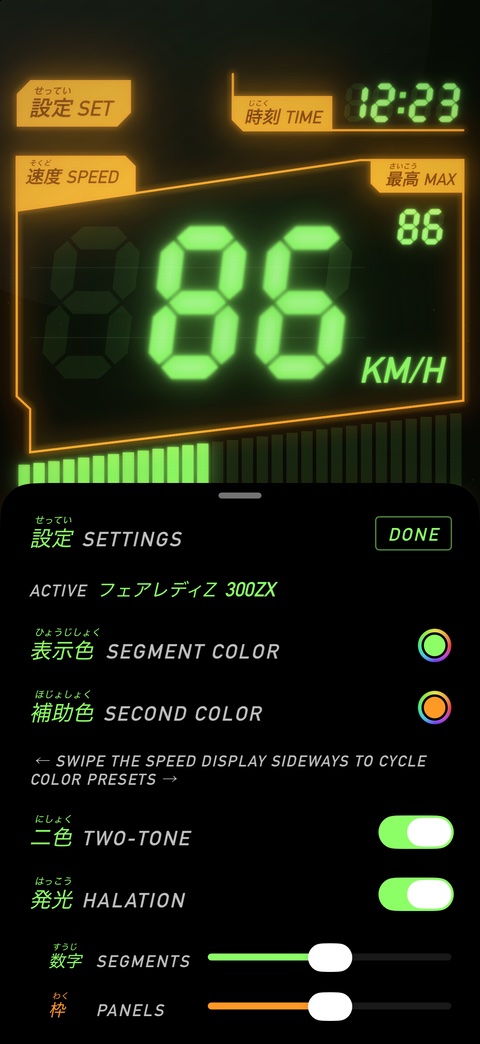
設定 · Settings

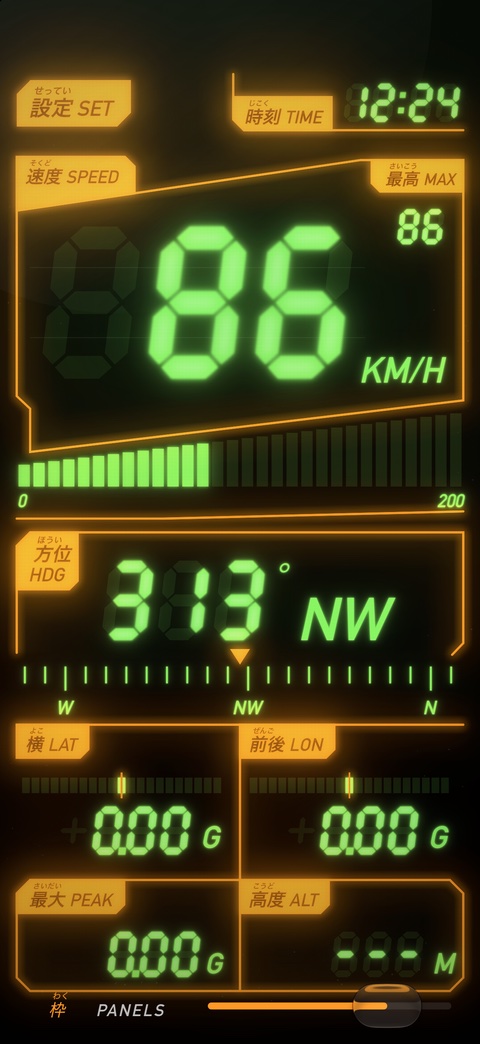
See every change at full brightness.

While you hold any slider, the rest of the settings fade away, so you see the change on the dash exactly as it'll look in the car.

  • Your own segment colour and second colour, or one colour for everything
  • Halation on or off, with separate glow for segments and panels
  • Backlight for the ghost segments, and panel line weight
  • km/h or mph, and what a full bar graph means
The settings panel
Holding the panels slider: everything else hides

16 app icons

One for each preset, plus a 300ZX macro shot. Switch between them in Settings.

All 16 MechaSpeed app icons
Platform
iPhone
Requires
iOS 18 or later
Uses
GPS, motion sensors, compass
Units
km/h or mph, metres or feet
Screen
Stays on while the app is open
Account
None

MechaSpeed

Mount the phone, set it up before you drive, and enjoy the glow.

Coming soonto the App Store

A personal fan project. Speed comes from GPS, so treat it as an estimate rather than a calibrated instrument. Gundam, Evangelion, Macross and Nissan names belong to their owners; the presets are colour homages only.