For iPhone · Workout log

A workout log without the bloat.

Log your sets, rest between them, and see how you're progressing. Strong Enough works offline, keeps your workouts on your phone, and has no account, ads or subscription.

Coming soonto the App Store See it ↓
iPhone · iOS 17 or later · Works offline

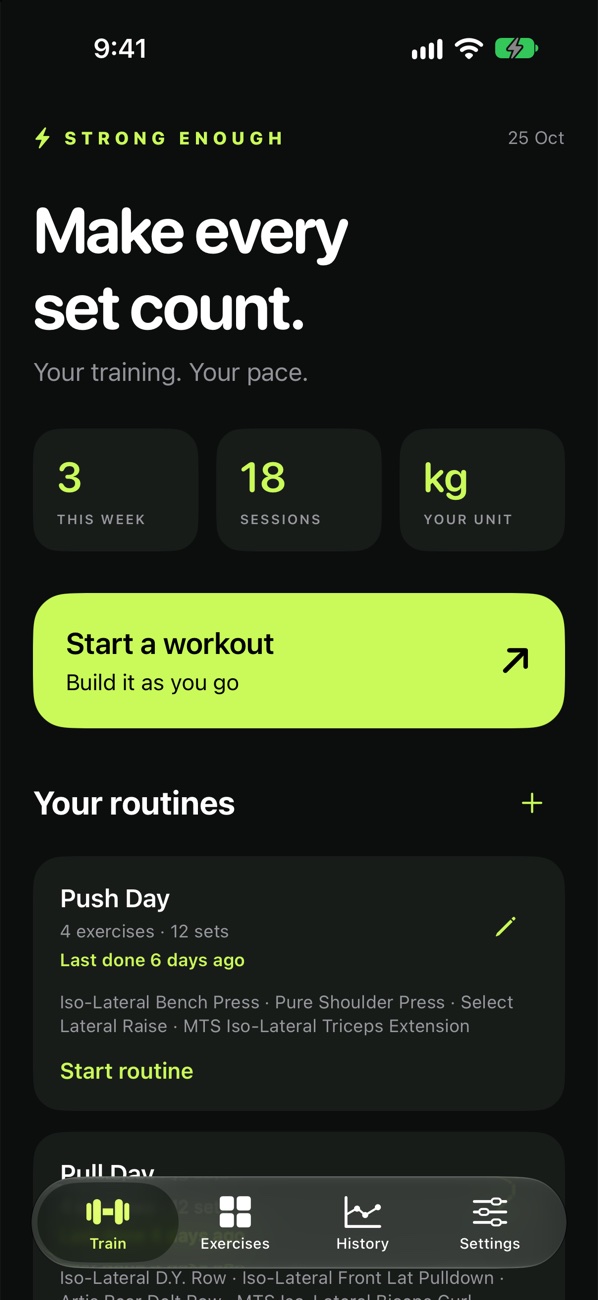
The Train screen: 3 workouts this week, 18 sessions, Start a workout and the Push Day routine
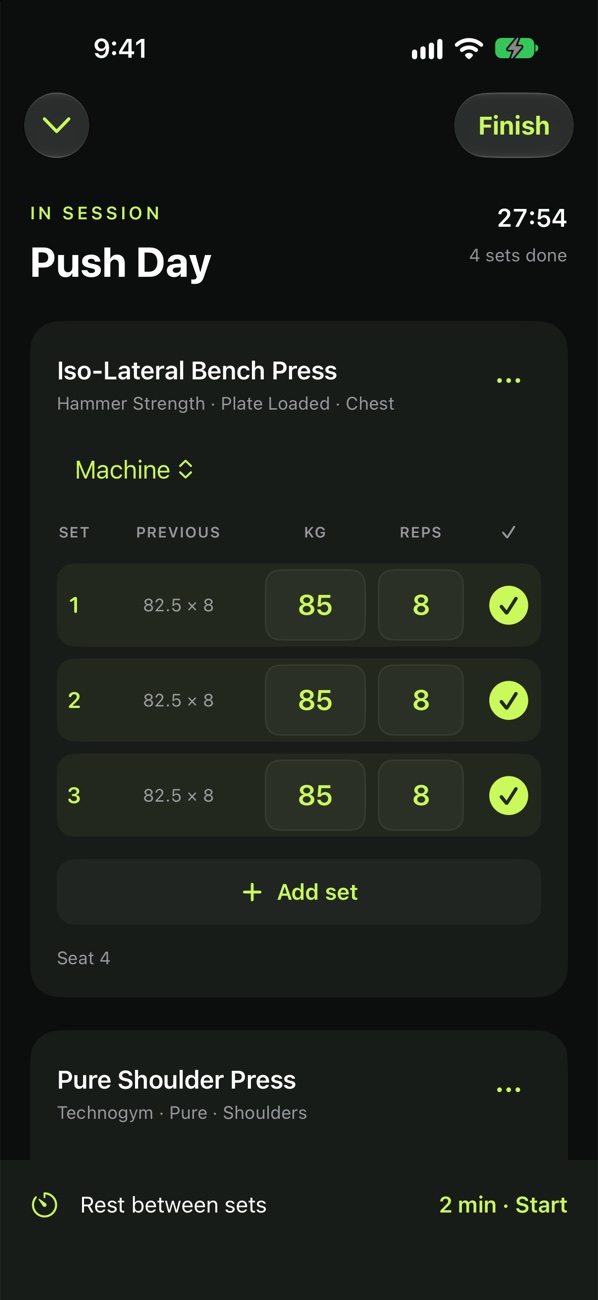
A Push Day session: Hammer Strength Iso-Lateral Bench Press, three sets of 85 kg × 8 ticked off
178exercises, incl. real gym machines
0accounts, ads or subscriptions
100%offline, on your phone
8 + 5accent colours and app icons
Logging

Fast between sets.

Enter kilograms and reps, see what you lifted last time, and tick each set off. No pop-ups, no upsells, no waiting.

  • Each exercise knows if it's a machine, barbell or dumbbell
  • Dumbbells are entered per hand and saved as the total; barbells get a plate calculator
  • Reorder exercises or swap one out mid-session, keeping its sets and notes
  • Your session survives the app closing, and an abandoned one saves itself after 30 minutes
Logging a session: previous sets, kg and reps, and a tick for each set
Rest timer

Rest on your Lock Screen.

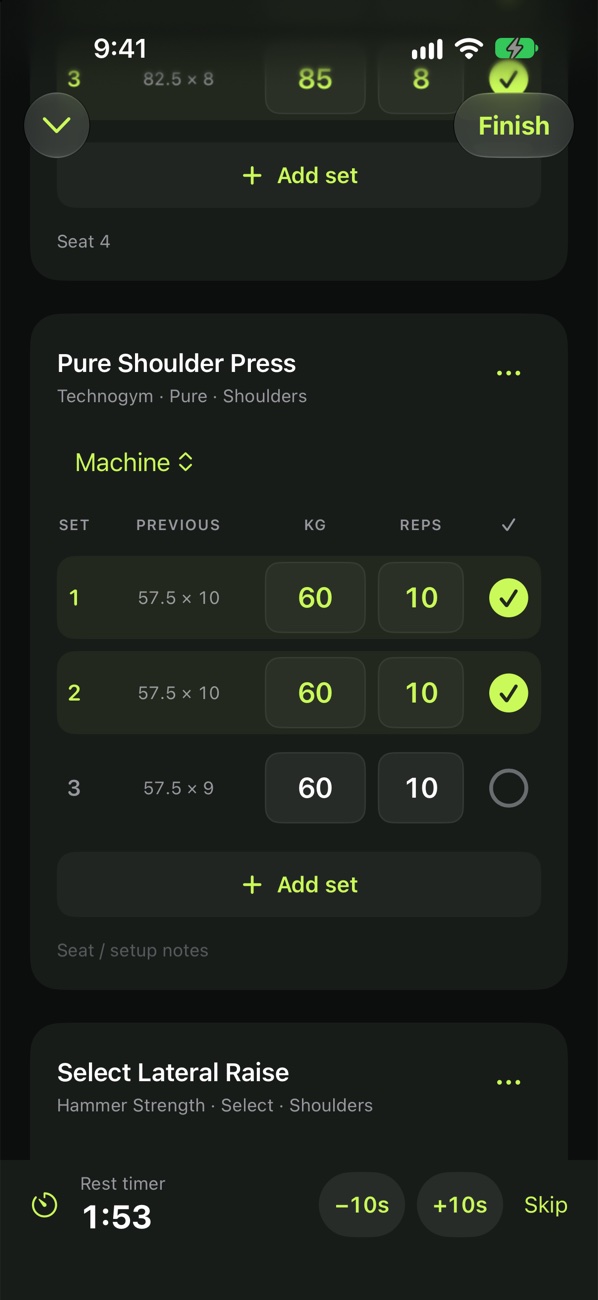
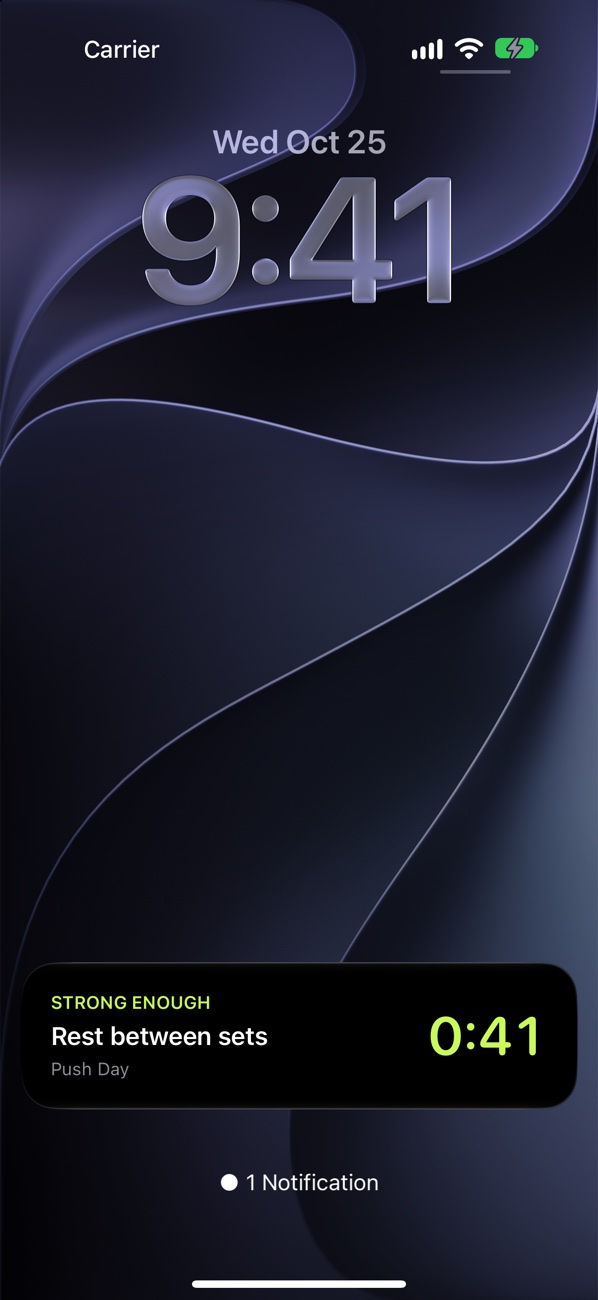
Finish a set and the rest timer starts by itself, as a countdown on the Lock Screen and in the Dynamic Island, with an alert when it's time to go again.

  • Add or remove 10 seconds, or skip
  • Finishing an exercise's last set ends rest instead of starting it (or not, your call)
  • Works with the phone locked in your pocket
The in-app rest bar counting down 1:53 with −10s, +10s and Skip
The rest countdown as a Live Activity on the Lock Screen
Exercises

Machines, not just movements.

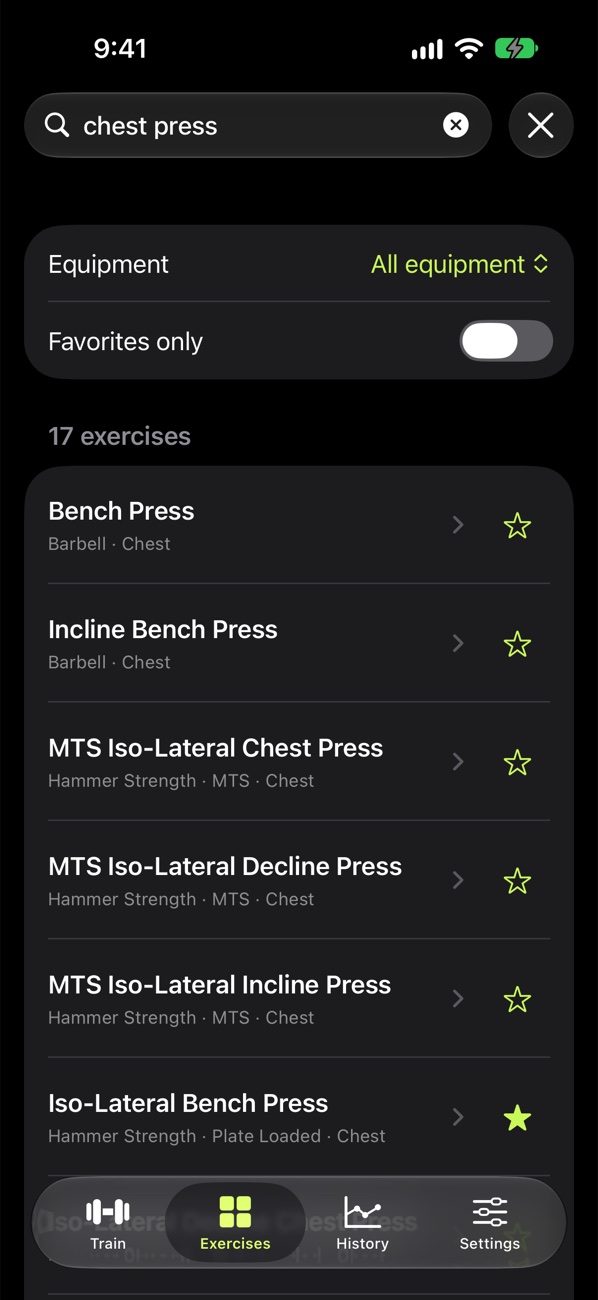
178 exercises, including specific gym machines, because a chest press on one brand isn't the same as on another.

  • Search by machine, manufacturer, product line, muscle or nickname, even "DY" for Dorian Yates rows
  • Favourites, and your own custom exercises
  • Different machines are never mixed into one record
Searching chest press: 17 exercises including Hammer Strength MTS and Plate Loaded machines
Progress

See how far you've come.

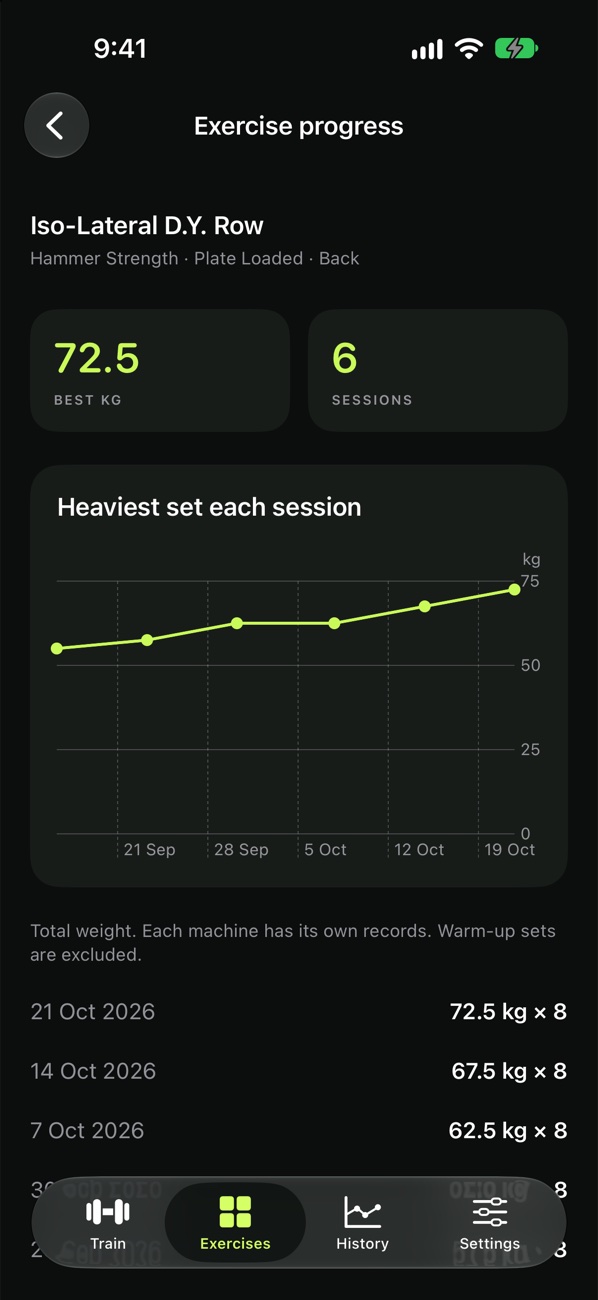
Every session in your history, plus each exercise's best weight and heaviest sets over time. Each routine shows when you last did it.

  • Routines you can build, reorder, or save straight from a finished workout
  • Notes on exercises and whole sessions
Iso-Lateral D.Y. Row progress: best 72.5 kg over 6 sessions, with a rising chart

Bring your history. Keep it yours.

Moving from the Strong app? Your years of workouts come with you.

IMPORT

Strong CSV import

Preview before anything is saved. Notes, RPE and timed sets come along, and importing the same file twice skips what's already there.

BACKUP

One-file backups

Export everything as a single file to Files or iCloud Drive, and restore it from the same screen. A safety copy is kept before any restore.

COLOUR

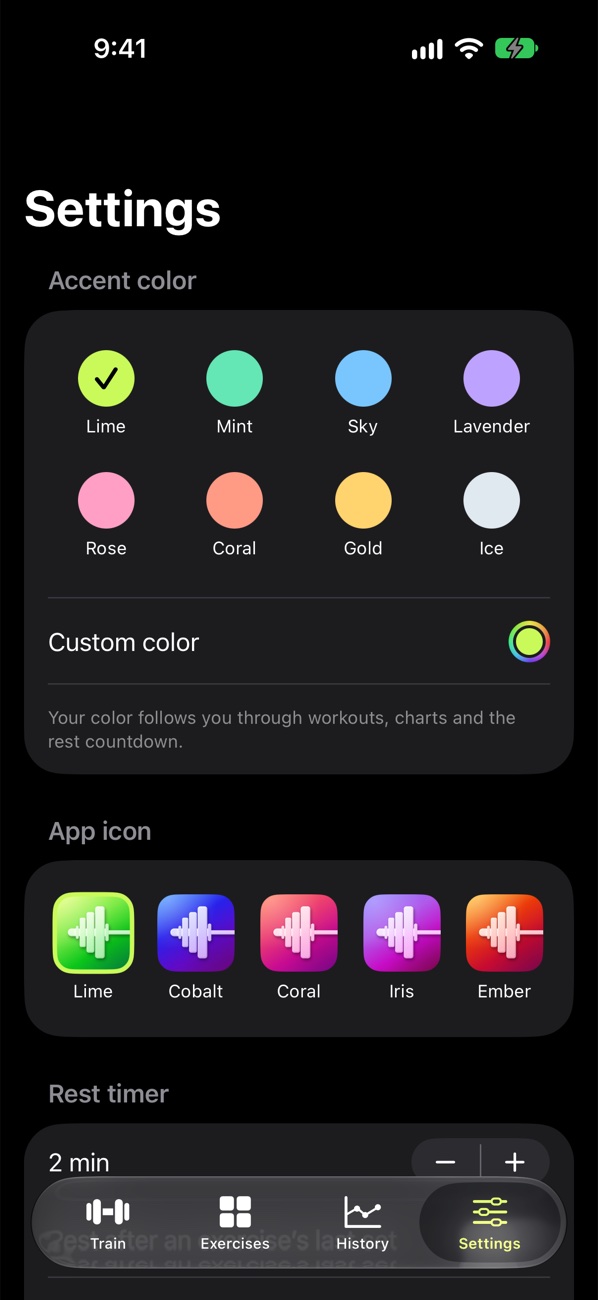
Make it yours

Eight accent colours or your own, used everywhere including the rest timer, and five app icons.

Lime icon Cobalt icon Coral icon Iris icon Ember icon

Every screen

Native SwiftUI, no third-party code, dark by design.

Train
In a session
Rest timer
Lock Screen
Exercise search
Progress
Colours and icons

It doesn't even connect to the internet.

No account, no ads, no analytics, no tracking. Your routines, workouts and settings stay on your iPhone unless you export a backup yourself.

Notifications and the Lock Screen timer are scheduled on your phone; nothing comes from a server.

Questions

How do I bring my history over from Strong?

In Strong, go to Settings → Export Strong Data and save the CSV to Files. Then in Strong Enough, go to Settings → Import Strong CSV and choose that file. You'll see a preview before anything is saved. Strong's export doesn't say whether weights are kg or lb, so choose the unit you used in Strong. Importing the same file again skips workouts that are already there.

How do I back up my workouts?

Go to Settings and export a backup. It's one file you can keep in Files or iCloud Drive, and restore later from the same screen. Your data is also part of your normal iPhone backup.

Does it work with no signal in the gym?

Yes. Strong Enough never needs the internet, so a basement gym with no signal is fine.

Can I change the app's colour?

Yes. Pick one of eight accent colours or your own in Settings. It's used throughout the app and in the rest timer.

Just the gym part. Done well.

Strong Enough is coming to iPhone.

Coming soonto the App Store